 ListHarbor
A List Ease Alternative Without the Tracking
Updated
List Ease is a popular, free shared grocery list. Its privacy label is worth a read before you hand it your shopping habits.
The short answer: if you want a List Ease alternative without the tracking, ListHarbor is a free shared grocery list for iPhone and Android with no ads, and its App Store privacy label has no "Data Used to Track You" section at all. List Ease's label lists purchases, location, contact info and search history among the data that "may be used to track you across apps and websites owned by other companies."
What List Ease's privacy labels say
Checked against each app's own store listings and website on October 27, 2026. Store listings change; follow the links for today's version.
List Ease is made by inMarket Media, which describes itself as "the leading real-time marketing and measurement platform" (inMarket). The app is free and well liked: 4.7 stars from about 54,000 ratings on the App Store. Privacy labels are written by each developer, and the listing notes Apple hasn't verified them, so here is what inMarket itself declares:
- App Store, Data Used to Track You: Purchases, Location, Contact Info, User Content, Search History, Identifiers, Usage Data and Other Data. The same types are listed as linked to you, for purposes including third-party advertising (App Store).
- Google Play, data shared: approximate and precise location, purchase history, app activity, device IDs, and your name and email may be shared with other companies, for purposes that include advertising or marketing (Play data safety). The Android app is also marked "Contains ads".
- Location: List Ease can remind you of your list when you walk into a grocery store. Its listing warns that GPS running in the background "can dramatically decrease battery life."
"Tracking" has a specific meaning here. Apple defines it as linking data from an app with data from other companies' apps and websites for targeted advertising, or sharing it with data brokers (Apple Developer). None of this is hidden; it's all in the listings. If store reminders and coupons are worth that trade to you, List Ease does them well. If not, read on.
What ListHarbor collects, plainly
- No ads, no ad network. ListHarbor removed ads entirely in July 2026, and its App Store label has no tracking section.
- No location. The app never asks for it.
- What it does keep is there to run the app: an account ID and a notification token, the name you choose for your group, your email if you sign in to back up, your Premium purchase if you make one, and crash reports.
- Usage statistics (which features get used) help decide what to fix. Turn them off any time in the app's settings; in the European Economic Area, the UK and Switzerland they stay off until you say yes.
- Price memory stays on your phone. What you last paid for each item, and the "Running low?" suggestions, are worked out and kept on the device.
The full detail is in the ListHarbor privacy policy.
What you get, and what you'd give up
The shared list itself works the way you'd hope:
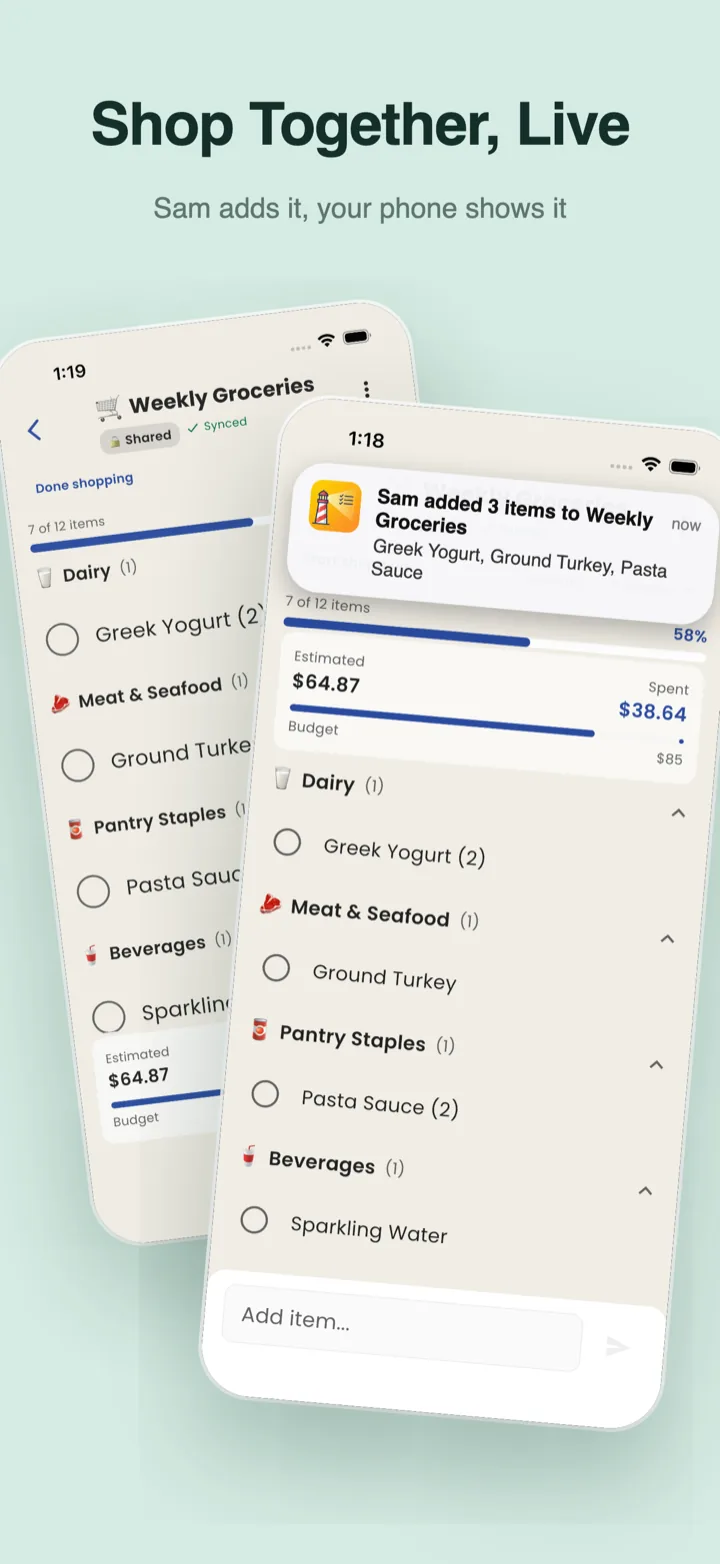
- Live shared lists: put a list in a group (Home, Roommates, Beach House) and everyone sees adds, edits and check-offs as they happen, on iPhone, iPad and Android.
- Group notifications when someone adds items, starts shopping or finishes.
- Shopping mode: the screen stays awake, items get bigger, and the running total stays pinned at the bottom.
- Aisle order per store, which ListHarbor can learn from one normal-sized trip in shopping mode.
- Prices that remember themselves: items start at the price you last paid, so a list's budget fills itself in.
- Recipe import from a link on most recipe sites, and ready-made Thanksgiving and Christmas lists.
All of that is free; Premium is optional and adds more and bigger groups and unlimited photo backup. What ListHarbor doesn't have: reminders when you walk into a store, a barcode scanner or coupons. Those are List Ease features, and the store reminders are the part that needs your location.
How to switch from List Ease
- Get your list out as text. Type or copy your items into a note, a message or an email, one per line. A pasted list with bullets or checkboxes is fine.
- Paste it into ListHarbor. Open a list and paste into the add bar. Each line becomes its own item. Bullets, checkboxes and numbers are dropped, and lines marked as done (like ☑ or [x]) are left out, because you already bought them.
- Invite your household. Share the list or put it in a group, and send a link, a code or a QR code. Nobody fills in a sign-up form; the first time they join, ListHarbor just asks what the group should call them.
Sharing with a partner takes four steps; the spouse sharing guide walks through them.
List Ease alternative FAQ
Does List Ease track you?
Its own App Store privacy label says eight types of data, including purchases, location and search history, may be used to track you across other companies' apps and websites (App Store). That is the developer's declaration; Apple doesn't verify labels.
Is List Ease free?
Yes. Its App Store listing says "List Ease is 100% Free!" and lists no in-app purchases. The Android version is marked as containing ads.
Does ListHarbor use my location?
No. ListHarbor doesn't ask for location permission on iPhone or Android, which is also why it has no "remind me at the store" feature.
Does ListHarbor work on Android too?
Yes. It's the same app on the App Store and Google Play, and an iPhone and an Android phone can share one list in real time.
See every feature on the ListHarbor shared shopping list app page.
Try it on your next shopping run
ListHarbor is free on iPhone, iPad, and Android — no sign-up form to start.